Meet Lily: A Virtual Employee for Your Restaurant Phone
Meet Lily, Cherry’s virtual employee for restaurant phone calls. Learn what she handles, how pickup orders work, where staff take over, and what to test before a busy shift.
By Cherry · · 9 min read
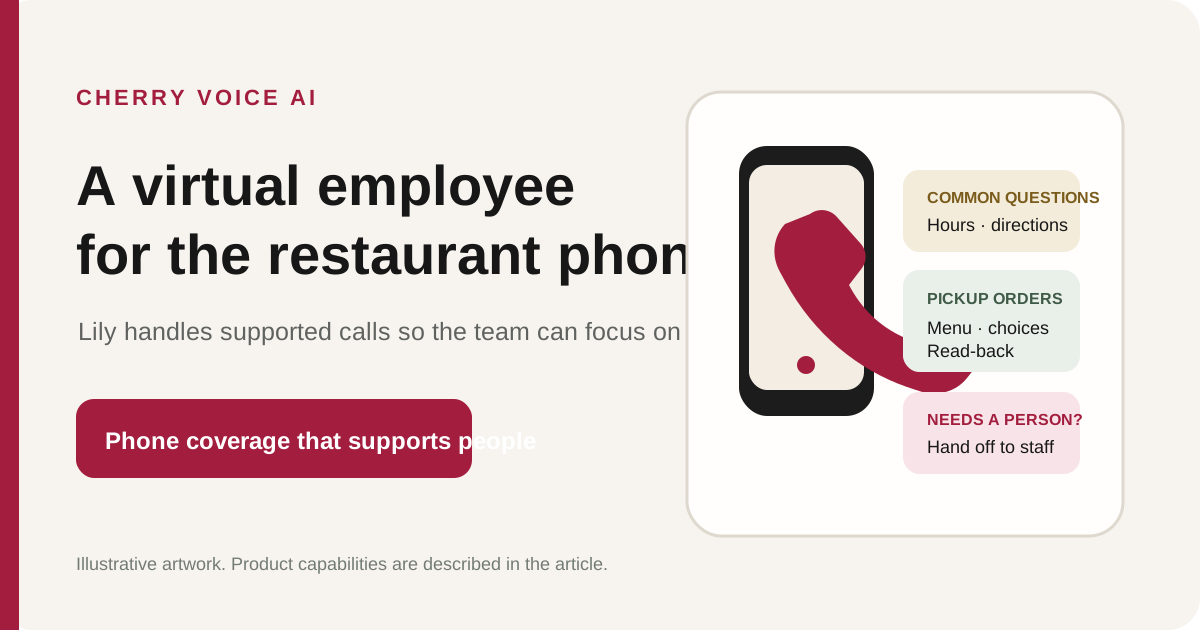
When a restaurant phone rings during service, the person who could answer may be greeting a walk-in, serving a table, or working the counter. Lily is Cherry’s virtual employee for those restaurant calls. She answers common questions, takes pickup orders from the restaurant’s own menu, reads orders back, and hands calls that need a person to the restaurant team.
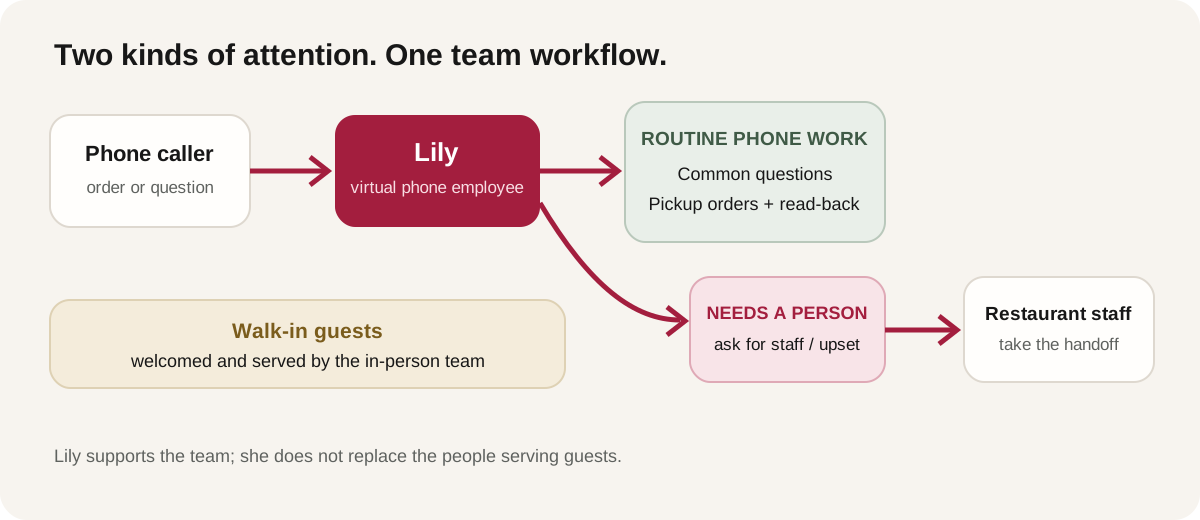
The point is not to replace the people in the dining room. It is to move supported phone work off the same hands guests need in person. This guide explains what Lily does, what remains a human responsibility, how a pickup order moves through the workflow, and how to evaluate the setup against your own menu.
Key Takeaways
- Lily is a virtual phone employee for restaurants, not a replacement for the staff serving guests.
- She handles common questions and pickup orders from the restaurant’s own menu, asks for required choices, and reads the order back.
- Requests for a person and upset callers are handed to restaurant staff; Lily does not pretend every call can be resolved automatically.
- With Pay-Before-Cook enabled on a Cherry counter-tablet setup, the customer receives a secure payment link and the paid ticket appears at the counter after payment.
What does a virtual employee for a restaurant phone do?
A restaurant virtual employee handles a defined set of phone tasks while the in-person team continues welcoming and serving guests. It is a practical role boundary: Lily is assigned the phone; the restaurant’s employees remain responsible for hospitality, exceptions, and anything that needs a human decision.
That distinction matters more than the label. A voice that merely answers “What time do you close?” has a narrower job than one that can also take an order from the restaurant’s menu, ask for a required size, confirm the details, and pass the caller to staff when needed. Before choosing any restaurant phone assistant, ask it to demonstrate the actual tasks you expect it to handle and the exact point where it hands off.
The scene below is illustrative, not a customer testimonial. It shows the intended division of work: Lily handles the restaurant phone while the in-person team stays available to guests.
What can Lily handle on a restaurant call?
Lily answers a restaurant’s phone, takes pickup orders from that restaurant’s own menu, answers common questions, and routes requests that need a person to the restaurant’s staff. The menu and the handoff rules set the boundary; Lily is not meant to invent details or make decisions the restaurant has not supplied.
Common questions about the restaurant
Callers may ask about hours, location, nearby landmarks, or parking while a team member is already helping someone. Lily can answer from the information the restaurant has saved. If directions have not been added, she should say that she does not have them rather than guess.
A useful setup starts with the questions your staff hear repeatedly. Write down the answers you want callers to receive, including the exact address, cross streets, landmark, and parking information. Then test those answers in a live demo. A landmark that is obvious to a local may not be clear to a first-time visitor.
Pickup orders from the restaurant’s own menu
A caller can say what they want in natural speech. Lily uses the restaurant’s menu to identify dishes and collect the choices required for that order. If a dish name could match more than one item, she asks the caller to clarify instead of quietly picking one.
For example, an illustrative caller might request two Margherita pizzas and a Caesar salad for pickup. If the menu requires a size or another choice, Lily asks for it. She then reads the order back so the caller can correct a misunderstanding before the call ends. The point of the read-back is not to imply a perfect conversation; it is to make the captured order audible to the caller and give them a chance to confirm it.
Order details, prices, and totals
Lily asks for the choices the restaurant has marked as required, such as a size, side, or other menu option, and captures the customer’s name. Cherry’s order engine calculates prices, taxes, and totals from the restaurant’s menu; the voice model does not guess the arithmetic. That separation is important: an answer about a menu item should come from the restaurant’s configured information, not a model improvising a price.
Directions without losing the order
A caller may interrupt an order to ask where the restaurant is or what it is near. Lily can answer using the saved directions and return to the question already in progress. This works only when the restaurant has supplied the information. If a parking instruction, landmark, or cross street is missing, add it before relying on the answer during service.
Allergies and requests that need a person
Allergy information needs a careful boundary. Lily can repeat a dish description and declared dietary tags that the restaurant owner has entered. If a caller mentions an allergy, she writes it on the ticket for the kitchen. She must not guess ingredients or tell a caller that a dish is safe or free of an allergen based on information that was never provided.
If a caller asks for a person or is upset, Lily apologizes once and transfers the call to the restaurant’s counter phone. This is not a small edge case to hide in a sales demo. It is one of the most important parts of the workflow to test before service: make a transfer, confirm which phone rings, and verify that the team knows what happens next.
How does a Cherry pickup order reach the counter?
The phone conversation is one part of the flow. The restaurant should also understand how the completed order reaches its team and when it becomes eligible for preparation.
- The caller places an order. Lily uses the restaurant’s menu and asks for required choices, then reads the order back.
- The customer receives a payment link when the setup requires it. For a restaurant configured on the Cherry counter tablet with Pay-Before-Cook enabled, Cherry texts a secure checkout link to the number that called.
- The customer pays. The caller completes checkout on the hosted payment page; nobody reads a card number aloud over the phone.
- The paid ticket appears on the counter tablet. In that Pay-Before-Cook setup, the kitchen receives the order after payment. Staff can review the ticket on the tablet.
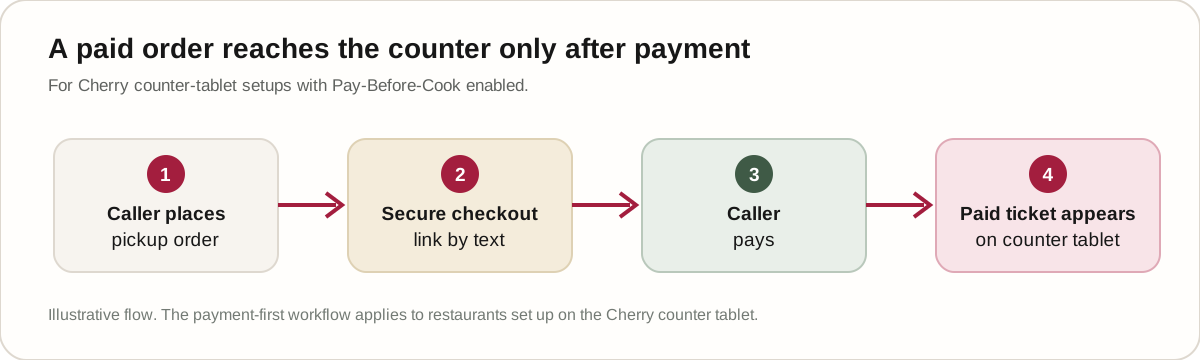
Pay-Before-Cook is conditional on the restaurant’s Cherry counter-tablet setup. It can prevent an unpaid no-show or prank order from reaching the kitchen, but it does not mean every caller will complete checkout. Ask what staff see when a payment link is not paid and decide whether that behavior fits your restaurant.
Cherry does not require a POS integration to start. The counter experience uses a tablet; it is not a printer workflow. Confirm the exact setup, the handoff route, and any payment settings in your own demo rather than assuming every restaurant account has identical options.
Is Cherry replacing the host, cashier, or server?
No. Cherry’s role is phone coverage. The in-person team remains responsible for the welcome, table service, counter interactions, and any call that needs a person. The product is best understood as a virtual employee for the restaurant phone—not as a replacement for the staff who make the restaurant feel like itself.
The National Restaurant Association’s 2026 industry report describes restaurant operators’ interest in technology that improves efficiency and strengthens guest connections. That is a useful way to evaluate a phone tool: does it help people be more present for guests, or does it add another task to manage? The report’s broad industry framing does not prove that any specific product will improve a particular restaurant’s results. 1
A virtual phone employee should be judged on the work it is actually configured to do. If the restaurant wants the host to answer every caller personally, that may be the right service model. If the host is repeatedly pulled away from a walk-in welcome to answer common questions or take routine pickup orders, a dedicated phone role may fit better.
What should a restaurant prepare before using a phone assistant?
The best test uses the restaurant’s real menu, real directions, and real handoff destination. Before a busy shift, prepare these details:
- Menu and required choices: confirm item names, prices, tax rules, sizes, sides, and the choices a caller must make.
- Common questions: write approved answers for hours, address, cross streets, landmarks, and parking. Do not leave details for Lily to infer.
- Dish names and ambiguity: test words customers commonly use, including local pronunciations. Confirm that ambiguous names prompt a clarification rather than a guess.
- Allergy boundaries: enter only information the owner is comfortable stating. Test that an allergy mention is placed on the ticket and that no safety guarantee is invented.
- Human handoff: decide which counter phone receives a transfer, then place a test call to confirm that the route works and the team knows how to respond.
- Payment workflow: if Pay-Before-Cook is enabled on the counter tablet, test the text link, payment, and resulting ticket before relying on the workflow.
A test menu is not enough. Listen to the conversation on speakerphone. Have a staff member place a call that includes a routine question, a pickup order with a required choice, a correction during the read-back, and a request to speak with a person. If the assistant hesitates, ask for clarification, or hands the call to staff, check whether that behavior matches the restaurant’s preference.
What should owners ask in a live demo?
Ask the vendor to show the whole job, not only the greeting. A useful demo lets you hear how the assistant handles your menu, how it confirms a modified order, how it answers a saved-directions question, and what happens when the caller asks for a person.
Cherry’s live demo line is (586) 238-0667. It is for demonstrations only, not sales or support calls. You can also use the demo page. Ask for a seven-day free pilot only after the initial discovery call; the pilot is not self-serve, and its terms are agreed during that conversation.
Ask about pricing during the discovery call so the numbers match your own call volume.
If you want to estimate the value of phone coverage, start with your own phone-system log and average phone-order value. Treat any hypothetical recovery as a scenario, not a promise: an unanswered call does not prove that the caller would have ordered. This article focuses on Lily’s role and the workflow, not an assumed revenue outcome.
Frequently asked questions
Does a virtual employee replace a restaurant host?
No. Lily handles supported phone work. Restaurant employees remain responsible for welcoming walk-in guests, serving people in the dining room or at the counter, and taking calls that need a person.
Can Lily take orders from any restaurant menu?
Lily takes pickup orders from the restaurant’s own menu after the menu and required choices have been configured. A restaurant should test its actual dish names, modifications, and read-back before relying on the workflow.
Which languages does Lily speak?
Lily can talk with callers in many languages. The ones restaurants ask about most are Spanish and Arabic. Because every menu has its own dish names, test the languages your own guests use during a live demo before you rely on them.
What happens when a caller wants a person?
Lily apologizes once and transfers the call to the restaurant’s counter phone. The restaurant should test that destination and make sure the team knows how to take the handoff.
Does Cherry require a POS integration?
No POS integration is required to start. For the Cherry counter-tablet setup, a paid ticket can appear on the tablet after payment when Pay-Before-Cook is enabled. Confirm the exact payment configuration during the demo.
Is there a free trial?
Cherry offers a seven-day free pilot after an initial discovery call. It is not self-serve; the terms are agreed during that call.
References