When the Host Is on the Phone, Who Welcomes the Guests? A Restaurant Coverage Guide
A practical restaurant phone-coverage guide for the moment a caller and walk-in guests need the host at once. Explore ten shift scenarios, clear staff handoffs, and a pre-shift test plan.
By Cherry · · 10 min read
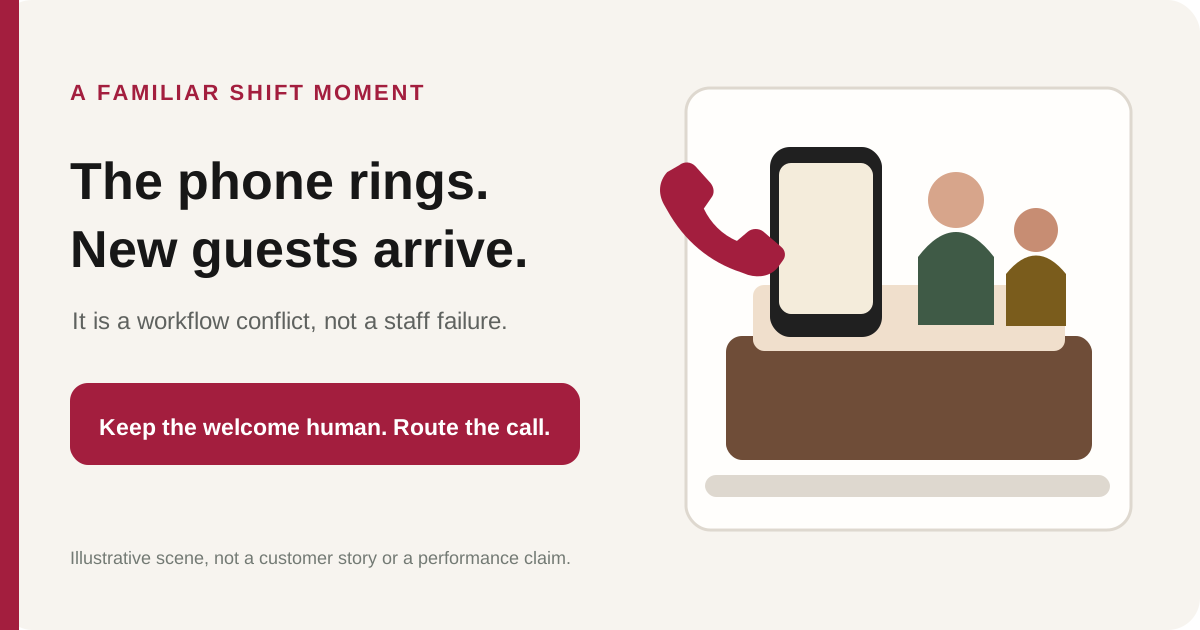
You are helping a caller place a pickup order. The front door opens. A family walks in and looks toward the host stand, while the phone is still at your ear. If you run a restaurant in Metro Detroit—or anywhere with a busy front desk—you probably recognize the collision: two people need a welcome from the same person at the same moment.
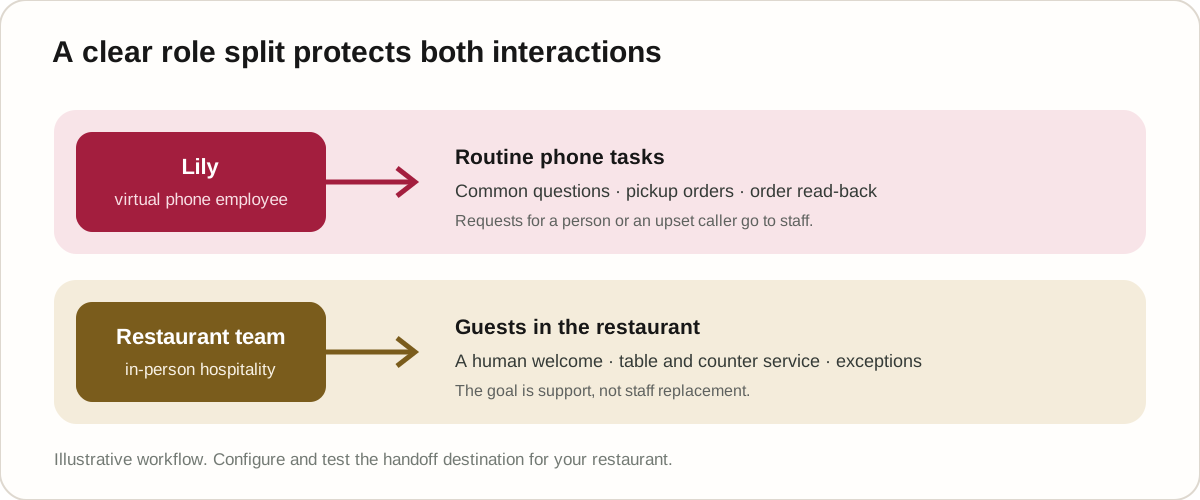
That is a workflow problem, not a staff failure. A practical restaurant phone-coverage plan separates routine phone work from the in-person welcome. Lily, Cherry’s virtual employee for restaurant calls, can handle common questions and pickup orders from the restaurant’s own menu. The restaurant team continues serving the guests in front of them and takes calls that need a person.
Key Takeaways
- A host should not have to choose between a caller and a walk-in guest when routine phone work can be covered separately.
- Lily handles supported calls, including common questions and pickup orders; the restaurant’s staff remain the human welcome and the escalation path.
- Directions come from information the restaurant has saved. Allergy information must never be guessed, and a caller who asks for a person or is upset is transferred to staff.
- Test the real menu, required choices, saved directions, counter phone, and any conditional payment flow before relying on the workflow during a rush.
Why does the host stand become a phone bottleneck?
A host stand is often where several kinds of work meet. A host may welcome arriving guests, answer a menu question, coordinate seating, respond to a delivery driver, and pick up the restaurant phone. Most of these tasks are manageable one at a time. The strain appears when a caller and a person in the doorway need attention simultaneously.
The result can feel personal even when no one has done anything wrong. The caller hears “one moment,” the walk-in waits without a greeting, and the host has to switch context while trying to remember the order. A restaurant can reduce that collision by deciding in advance which phone tasks can be handled by a virtual employee and which should go directly to staff.
The National Restaurant Association’s 2026 industry report describes operator interest in technology that improves efficiency and strengthens guest connections. That is a helpful lens for a front-of-house decision: technology should protect the time people spend with guests, not remove the human welcome. The report is general industry context; it does not demonstrate results for any particular product or restaurant. 1
Ten restaurant phone scenarios to plan for before the rush
The situations below are illustrative examples, not customer stories. For each one, the restaurant should decide what Lily may handle, what remains a human responsibility, and what needs to be tested before service.
1. The host is taking a pickup order as a walk-in party arrives
A caller is listing dishes when a party opens the door. Lily can handle the phone order, ask for menu-required choices, and read the order back. That gives the host a chance to acknowledge and welcome the people who just arrived instead of asking them to wait through a full order conversation.
The host still owns the greeting, seating, and any special request that needs judgment. Do not treat phone coverage as a reason to leave the host stand unattended. The intended split is simple: Lily supports the phone; a person welcomes the guests.
2. The counter employee is serving a line while another caller orders
A cashier may be taking payment or handing a bag to a customer when the restaurant phone rings. If the caller wants a pickup order from the restaurant’s menu, Lily can take the call and confirm the order. The cashier can stay focused on the guests already at the counter.
The team should still decide how to handle a caller who needs an employee, an unusual request, or a change the configured menu cannot support. Before service, test that a transfer reaches the counter phone the team actually monitors.
3. A server carrying plates hears the phone ring
A server with plates has a different immediate responsibility from a person who is free to answer. If the phone is routed to Lily, the server can finish delivering the food rather than trying to answer while moving through the dining room.
This does not mean all phone calls are routine. A caller who asks for a person or is upset should be handed to staff. The manager should tell the team how that handoff arrives and who is expected to take it, so a transfer does not land on a phone nobody is watching.
4. The owner is on the kitchen line when a caller asks a menu question
An owner may be cooking, expediting, or checking a ticket when a caller asks about hours or a dish. Lily can answer common questions from the information the restaurant has saved and take a pickup order from the restaurant’s own menu.
The restaurant must provide the facts Lily is allowed to use. If the answer is not in the configured menu or saved information, the right response is not to invent it. Decide which questions should be handed to a person and make the transfer route part of the pre-shift test.
5. A caller asks for the landmark, cross street, or parking
A caller may ask, “Where are you near?” while trying to finish an order. Lily can use the directions saved for the restaurant, including its address, cross streets, landmark, and parking note. She can then return to the order question already in progress.
That depends on the restaurant supplying accurate directions first. Check the address and parking wording as if you were a first-time visitor. If a detail has not been saved, Lily should say she does not have it rather than guessing.
6. A caller mispronounces a dish name
A caller may say a dish name differently from the way it appears on the menu. Cherry keeps restaurant-specific examples of common mishearings so the order engine can match a familiar variation to the intended item. If the words could still refer to more than one dish, Lily asks which one the caller means.
The restaurant should test the names that are hardest for its callers and staff. Do not assume every local pronunciation is already covered. Add examples through the restaurant’s setup process and listen to the clarification question on a test call.
7. A caller forgets a required size, side, or choice
Some menu items need a size, side, or another required option before an order is complete. Lily asks for the required information and reads the order back, so the caller has an opportunity to correct a misunderstood choice.
The menu configuration determines what is required; the restaurant should not expect the assistant to know an unstated kitchen preference. Test a normal order and one with a correction. Confirm that the read-back matches the choices the caller actually made.
8. A caller mentions an allergy
Allergy questions require a strict boundary. Lily can repeat the dish description and declared dietary tags that the owner has entered, and she writes an allergy the caller mentions onto the ticket for the kitchen. She must not infer an ingredient or tell the caller that a dish is safe from an allergen based on information that is not on file.
The restaurant’s team remains responsible for food preparation and for the decision about whether it can accommodate the request. Test how an allergy mention appears in the order, make sure the kitchen can see it, and review the restaurant’s menu descriptions before relying on them.
9. The caller is upset or asks to speak with a person
If a caller asks for an employee or is upset, Lily apologizes once and transfers the call to the restaurant’s counter phone. This is a human boundary, not a failed attempt to keep the caller talking to the phone assistant.
A manager should place a real transfer test and confirm who answers. If the intended person is busy, the restaurant needs its own fallback plan. The assistant should not promise that a human is available instantly or that every issue can be resolved without staff.
10. The caller finishes a pickup order and expects the kitchen to start
For restaurants set up on the Cherry counter tablet with Pay-Before-Cook enabled, Cherry texts a secure checkout link after the caller finishes ordering. The paid ticket appears on the counter tablet after payment. Staff can review and accept it there. This setup does not require a printer or POS integration to start.
That payment-first flow is conditional on the restaurant’s setup, and the caller still has to complete checkout. Test the text, payment page, and tablet alert separately. Ask what the team sees if a payment link is not paid; do not assume an unpaid order has reached the kitchen.
How should a restaurant test phone coverage before a busy shift?
Test the workflow with the restaurant’s actual menu and staff. A quick demonstration can sound smooth while missing a required option, a difficult dish name, or the counter phone that should receive an escalation. Run the checks below before a high-volume service period.
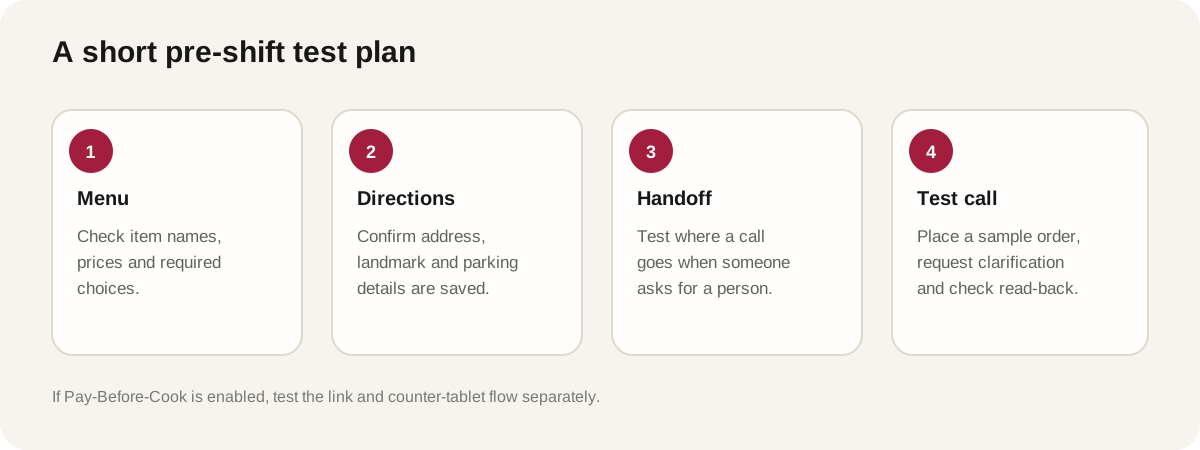
- Check the menu. Confirm dish names, prices, tax, sizes, sides, and required choices. Try a dish with a common alternate pronunciation.
- Check directions. Ask for the restaurant’s address, a landmark, and parking. Correct anything that a first-time visitor could misunderstand.
- Check the human route. Ask to speak with a person and confirm the counter phone rings where expected. Have a staff member take the transfer.
- Place a test order. Include a required choice, a correction, and a read-back. Confirm the order details match what the caller said.
- Test allergy handling. Mention an allergy and confirm it appears on the ticket without a promise that the dish is safe.
- Test payment separately if enabled. For a Cherry counter-tablet Pay-Before-Cook setup, check the text link, payment, and paid ticket on the tablet.
Use the test to improve the setup, not to claim that every possible call has been covered. A restaurant’s menu changes, callers phrase questions differently, and some decisions belong to the staff. Re-test after material menu or routing changes.
How can owners evaluate whether the coverage plan fits?
Start with observations the restaurant already controls. During a few representative shifts, note when a staff member leaves an in-person task to answer the phone, whether walk-in guests receive an acknowledgment, and which kinds of calls need a human. If the phone provider supplies an unanswered-call log, compare it with the team’s observations. These are local measurements, not a promise that Cherry provides analytics or that every missed call would have become an order.
The goal is to find the specific interruption the restaurant wants to reduce. If calls mostly ask for directions, make sure the saved information is right. If calls are mostly pickup orders, test order capture and read-back. If callers frequently ask for a person, verify the transfer path and decide whether the coverage model still fits.
If you also want to estimate the impact of unanswered calls, start with your phone-system log and your own average phone-order value. Do not assume every missed call would have become an order. This guide stays focused on the operational handoff rather than promising a recovery rate or a particular financial result.
Frequently asked questions
Does a virtual employee replace a restaurant host?
No. Lily is a virtual employee for the restaurant phone. The restaurant’s people remain responsible for greeting walk-ins, seating guests, serving the dining room, and handling requests that need a person.
What happens if a caller asks for a person?
Lily apologizes once and transfers the call to the restaurant’s counter phone. The restaurant should test that destination and decide who takes the handoff during each shift.
Can Lily answer questions about allergies?
Lily can repeat the dish information and declared dietary tags supplied by the owner, and she writes a caller’s allergy mention onto the ticket. She does not guess ingredients or guarantee that a dish is free of an allergen.
Can Lily give directions to the restaurant?
Yes, from the address, cross streets, landmark, and parking information the restaurant has saved. If the information is missing, she should say she does not have it rather than inventing directions.
Does Cherry require a POS integration?
No POS integration is required to start. For restaurants set up on the Cherry counter tablet with Pay-Before-Cook enabled, the paid order appears on that tablet after payment. The payment-first workflow is conditional on that setup.
Is the example about a host missing a greeting a real customer story?
No. The opening scene and all ten scenarios in this article are illustrative operating examples. They are not customer testimonials or case studies.
References